Back to School Whiteboard: Your All-in-One Digital Toolkit for a Smooth Start
Getting ready for a new school year always feels like a race against the calendar. Between compiling lesson plans, decorating classrooms, organizing study spaces at home, and managing the endless supply lists, the prep work can quickly become overwhelming. This is exactly where a well-designed Back to School Whiteboard resource can transform your workflow. Instead of starting from scratch with each design project or organizational task, you gain access to a flexible set of digital files that make creating polished, professional-looking materials both fast and intuitive. Whether you are an educator, a parent, or a small business owner serving school communities, having the right tools at your fingertips reduces stress and frees up time for what truly matters.
Understanding the Back to School Whiteboard Collection
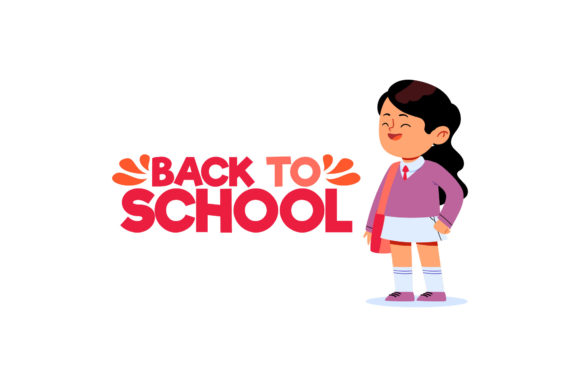
At its core, this collection provides six individual digital files, each purpose-built for different design environments. The canvas size is set at 1920 pixels by 1280 pixels, a versatile landscape ratio that works beautifully on screens, printed handouts, social media posts, classroom slides, and promotional flyers. You receive one file in each of the following formats: AI, EPS, SVG, DXF, JPG, and PNG. This variety means you can open, edit, and use the design whether you are working with Adobe Illustrator, a free vector editor like Inkscape, a cutting machine interface for vinyl projects, or simply printing directly from your computer. The design centers on a whiteboard aesthetic, which naturally conveys clarity, focus, and a ready-to-learn atmosphere. For anyone trying to communicate schedules, rules, goals, or welcome messages, this visual approach immediately signals organization and approachability.
Common Challenges When Preparing for the School Year
Every school season brings a familiar set of obstacles. Teachers often spend their own weekends creating bulletin board displays, welcome signs, and daily agenda templates from raw materials. Parents struggle to keep track of extracurricular schedules, homework deadlines, and supply requirements across multiple children. Small business owners, such as tutoring centers or after-school programs, need consistent branding materials that look professional without requiring a graphic design degree. In all these cases, the underlying need is the same: efficiency without sacrificing quality. You do not want to reinvent the wheel each time you need a sign, a handout, or a digital post. Additionally, technical limitations can become a barrier. Not everyone owns expensive design software or knows how to convert file types. If you have ever found a perfect design online only to realize you cannot open the file, you understand the frustration. The Back to School Whiteboard addresses this directly by providing multiple file formats so that compatibility is rarely an issue.
How the Back to School Whiteboard Helps You Overcome These Hurdles
The primary advantage of using a prepared design set is the gift of time. Instead of drawing text boxes, aligning elements, or choosing fonts and colors from scratch, you can open the SVG or AI file and immediately customize it to match your specific needs. Maybe you want to change the greeting from a generic message to your classroom name. Perhaps you need to swap out the subject headings for math, reading, and science. The layered structure of the vector files makes these edits straightforward. Even if you are not experienced with design software, the process typically involves selecting a text layer and typing your own words. For users who prefer a completely no-editing approach, the JPG and PNG files are ready to print or share as-is. You can upload the PNG to your school's social media page, print the JPG to hang on a classroom door, or import the DXF into a cutting machine to create a vinyl decal for a whiteboard or window. This flexibility means one purchase supports multiple use cases across different environments.
Streamlining Classroom Preparation
Consider a teacher who wants to create a consistent visual theme for the first week of school. Using the Back to School Whiteboard files, you can produce a welcome banner for the door, a daily schedule slide for the projector, and a printed handout for parents at open house, all with a cohesive look. Because the files share the same canvas size and design language, your materials will feel intentional and connected. This consistency builds a sense of order and professionalism that students and parents notice. You can also repurpose the design throughout the year. Change the text to announce upcoming events, field trips, or seasonal celebrations, and the whiteboard style remains fresh and appropriate.
Supporting Parents in Home Organization
Parents face a different but equally pressing challenge: keeping family schedules visible and manageable. A home command center, often located in the kitchen or a home office, benefits enormously from clear, readable signage. Print the JPG file and place it in a frame or on a clipboard for a reusable weekly checklist. Laminate the design and use dry-erase markers for daily updates. The whiteboard theme naturally fits this application because it looks like something you would actually write on. This visual cue encourages family members to engage with the information, whether it is a chore chart, a meal plan, or a homework tracker. You are not just decorating; you are building a functional system that reduces the number of times someone asks, "What are we doing today?"
Empowering Small Businesses and Tutors
For tutoring centers, homeschool co-ops, or educational content creators, branding matters. The Back to School Whiteboard design gives you a professional starting point that you can adapt with your logo, contact information, and specific program details. Use the EPS or AI file to maintain high resolution when scaling for larger posters or banners. The SVG format is excellent for web use and can be edited in browser-based tools if you do not have desktop software. This means even a solo entrepreneur can produce marketing materials that look like they came from a dedicated design team. The time saved translates directly into more energy for serving students and growing the business.
Practical Applications and Tangible Outcomes
When you invest in a resource like this, the results go beyond simple convenience. Teachers report feeling more prepared and less anxious when they have visually cohesive materials ready before the first day. Parents appreciate having a central place where schedules and reminders are displayed with clarity. Students, even young ones, respond positively to environments that feel organized and welcoming. There is a psychological benefit to seeing information presented neatly on a clean whiteboard-style background: it reduces cognitive load and helps people focus on the content rather than the clutter. Over time, having a reusable design system also reduces waste. Print only what you need, edit digitally rather than starting over, and archive past versions for future reference. The Back to School Whiteboard becomes a permanent addition to your seasonal toolkit, not a single-use purchase.
Examples of Everyday Use
- Classroom Door Signs: Print the PNG or JPG file, frame it, and hang it outside your room for a warm, professional welcome.
- Daily Agenda Slides: Insert the design into PowerPoint or Google Slides as a background template, then text overlay your schedule.
- Parent Communication: Use the vector files to create a newsletter template with consistent headers and a clean layout.
- Reward Charts: Laminate a printed copy and use dry-erase markers to track achievements, reusing the same chart week after week.
- Social Media Posts: Share a screenshot or export from the AI file to announce back-to-school sales, open house dates, or curriculum highlights.
Each application draws on the same core design, ensuring your visual identity remains consistent across physical and digital spaces. Consistency builds trust, and trust is essential in educational communities.
Getting the Most from Your Digital Design Files
To maximize the value of the Back to School Whiteboard, start by familiarizing yourself with the file formats and which software you have available. AI and EPS files are best for advanced editing in vector programs. SVG files offer a middle ground: they are widely supported and can be opened in free tools like Inkscape, Vecteezy Editor, or even some web browsers. DXF files are specifically intended for cutting machines, so if you own a Cricut or Silhouette, this format lets you cut the design from vinyl, cardstock, or other materials. JPG and PNG are your go-to for quick printing or sharing. If you plan to edit, always work from the vector files to preserve resolution. If you just need a finished graphic immediately, the raster files are ready to use. One recommendation is to save a master copy of your edited version in its native format before exporting. This way, you can revisit and tweak it later without losing your changes.
Different Approaches for Different Users
A graphic designer will likely jump straight into the AI file to customize every layer, adjust colors, and integrate the design into a larger branding system. A busy parent might prefer to print the JPG as-is and focus on functionality rather than aesthetics. A teacher comfortable with technology might use the SVG file to create a digital whiteboard background for interactive lessons. There is no single right way to use this resource. The variety of formats respects the fact that people have different skill levels and different tools at their disposal. The shared canvas size also makes it easy to combine elements from multiple files if you purchase other designs in the same series. Building a library of cohesive resources over time allows you to mix and match without worrying about mismatched proportions or styles.
Recommendations for Implementation
- Start with one clear goal. Decide whether you need a classroom sign, a home schedule, or a social media graphic. Focus on completing that project first before exploring additional uses.
- Test your printing setup. Before printing multiple copies, do a test run on plain paper to confirm colors, margins, and alignment. Adjust your printer settings for the best quality.
- Use lamination for longevity. Any printed piece that will be handled regularly, especially in a classroom or home with children, benefits from lamination. This protects the paper and allows you to write on it with dry-erase markers.
- Back up your files. Store the original download and your edited versions in a cloud folder or external drive. That way, you can access them again next year without having to re-edit from scratch.
- Share with colleagues. If you are on a teaching team or part of a parent group, consider pooling resources. One person can customize the design, and everyone can print their own copies. This saves time and ensures consistency across a grade level or organization.
Useful Considerations Before You Begin
Keep in mind that whiteboard designs generally work best with high-contrast text. Dark backgrounds with light text, or vice versa, remain readable at a distance. If you plan to project the design on a screen, test it in the actual room lighting. Sometimes a design that looks great on a monitor appears washed out under fluorescent lights. Adjusting brightness and contrast in your editing software can make a significant difference. Also, consider the font choices. The original design uses clean, readable typefaces, but if you replace them, stick to sans-serif fonts for maximum legibility, especially for younger readers or viewers.
Final Thoughts on Making This School Year Your Best Yet
The start of a school year sets the tone for everything that follows. When preparation feels smooth and materials look polished, you project confidence and competence. The Back to School Whiteboard is not just a set of digital files. It is a practical answer to the recurring question of how to get organized without burning out. By providing multiple formats, a consistent canvas size, and a clean visual style, this resource meets you where you are, whether you are a tech-savvy designer or someone who simply wants a printable sign that works. The time you save in the first week of school can be redirected toward building relationships with students, planning engaging lessons, or simply catching your breath. And that is a benefit worth investing in.
Take a few minutes to download your files, explore the formats, and decide on your first project. Once you see how easily the design adapts to different uses, you will likely find yourself coming back to it again and again throughout the school year. Preparation done right means less stress and more moments of genuine connection. The whiteboard is ready. All it needs is your message.