Back to School Color Pencils Silhouette
When you need a clean, versatile graphic that instantly signals “education” or “creativity” without overwhelming your layout, a well-crafted silhouette set does the heavy lifting. The Back to School Color Pencils Silhouette collection delivers exactly that — a practical, scalable design asset that works across print, digital, and branding projects. Whether you are designing a school supply flyer, building a logo for a tutoring service, or creating social media content for a classroom fundraiser, these silhouettes offer a straightforward visual shorthand that resonates with students, parents, and educators alike.
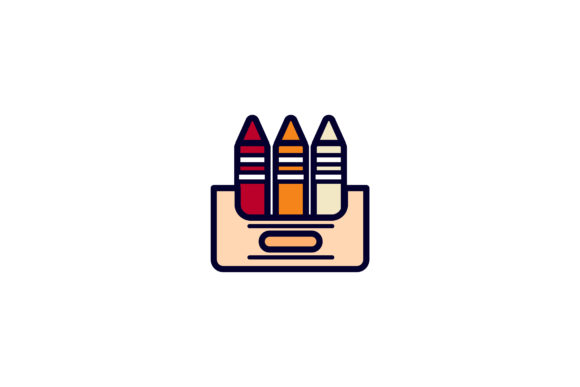
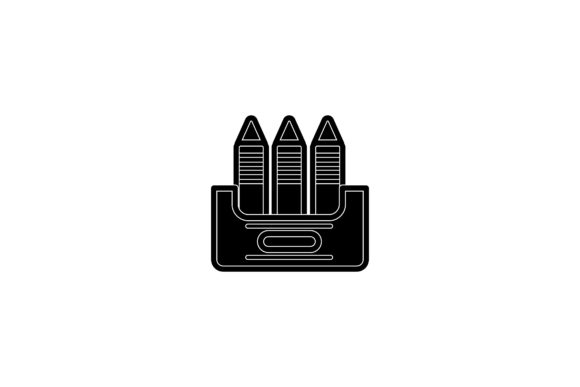
The set includes six digital files — AI, EPS, SVG, DXF, JPG, and PNG — all formatted on a 1920x1280 pixel canvas. That means you have flexibility whether you are working in Adobe Illustrator, a cutting machine program like Cricut Design Space, or a simple photo editor. The silhouette style itself is clean, with recognizable pencil shapes arranged in a way that suggests motion, variety, and the start of a new academic year. There is no fussy detailing, no distracting color — just bold, readable outlines that you can recolor, scale, or layer into your existing designs.
What Makes This Silhouette Set Stand Out
Silhouette graphics often walk a fine line between being too generic and too cluttered. The Back to School Color Pencils Silhouette strikes a good balance. The pencils are arranged in a way that feels dynamic — slightly staggered, overlapping in places — which gives the composition a sense of energy. That matters for a back-to-school theme, where you want to convey preparation, creativity, and forward motion without resorting to cheesy clip art.
From a visual personality standpoint, this set leans modern and approachable. It is not overly whimsical, nor is it stiff or academic in a stuffy way. The silhouette treatment keeps things neutral, so you can apply it to a wide range of brand identities. A preschool might use it with pastel tones and rounded layouts, while a college prep service could pair it with sharp typography and dark backgrounds. The same asset flexes to fit both scenarios because the silhouette itself does not dictate a mood — you control that through your color palette, texture, and supporting type.
Another strength is the variety of file formats. Having AI and EPS means vector users can edit individual pencil paths, adjust spacing, or isolate one pencil for a custom treatment. SVG and DXF open the door for web use and cutting-machine projects. PNG gives you a ready-to-place image with a transparent background, and JPG works when you need a quick preview or a raster layer. That range alone makes the set suitable for a solo crafter making stickers on their kitchen table and for a marketing team producing a district-wide campaign.
Where to Use These Graphics in Real Projects
One of the first places this silhouette set shines is in logo design. A tutoring center, a school supply shop, or an educational app could use a single pencil silhouette as a mark, or group several to form a badge-style logo. The silhouette format keeps the logo scalable — it will look just as clean on a mobile app icon as it will on a billboard. You can also pair it with a sans serif font for a modern feel or a serif font if you want a more established, academic tone. The silhouette itself acts as a neutral base, letting your typography do the personality work.
In editorial design, think about back-to-school guides, newsletters, or classroom handouts. A spread that uses the Back to School Color Pencils Silhouette as a header graphic or a chapter marker creates a consistent visual theme without needing full-color illustrations. That is especially useful when printing in black and white or on a tight budget. The silhouette holds its own even without color, so your message stays clear.
Social media graphics are another natural fit. A horizontal banner for a Facebook cover or an Instagram post promoting a back-to-school sale can use the silhouette as a background element, overlaid with bold text. Because the graphic is transparent-backed in PNG format, you can drop it into any template without extra cleanup. The 1920x1280 canvas size also matches standard social media aspect ratios fairly well, so you can use the JPG or PNG straight out of the box if you need a quick post.
For packaging design, consider small-batch products like pencil cases, lunch bags, or stationery sets. The silhouette can be screen-printed or embossed onto the packaging for a clean, modern look. It also works well as a repeating pattern — rotate or mirror the pencils to create a subtle texture on wrapping paper or boxes. Because the file is vector-based, you can scale it infinitely without losing quality, which is essential when going from a small sticker to a large display box.
Small business owners and crafters will find the DXF and SVG formats particularly useful for cutting machines. You can create custom vinyl decals for laptops, water bottles, or classroom labels. The silhouette style means the decal will be easy to weed and apply, with no tiny disconnected pieces. That is a practical advantage when you are producing items in quantity for a local school fair or an Etsy shop.
How Silhouette Graphics Influence Readability and Brand Perception
Silhouette graphics might seem simple, but they play an important role in visual hierarchy. Because they lack interior detail and color, they act as solid shapes that your eye processes quickly. That makes them ideal for guiding a viewer’s attention. In a poster or flyer, placing the Back to School Color Pencils Silhouette near your headline draws the eye without competing with the text. The shape communicates the topic fast, while the headline delivers the specifics.
From a brand identity perspective, using silhouettes consistently signals confidence and restraint. You are not relying on flashy illustrations or trendy colors to get your point across. That builds trust, especially in educational and professional contexts. A school district or a nonprofit tutoring program might choose this style because it feels straightforward and reliable — qualities that matter when your audience includes parents making decisions about their children’s education.
Audience engagement also benefits from this kind of clarity. When someone sees a clean silhouette, they do not have to decode complex imagery. They instantly recognize the pencils, connect them to school, and move on to your call to action. That reduces cognitive load, which is especially valuable in marketing materials where you have only a few seconds to capture attention. Whether you are designing a banner ad, a brochure, or a social media post, the silhouette does its job without getting in the way.
Consistency across projects becomes easier when you have one reliable graphic that you can apply in multiple contexts. Use the same silhouette on your website, your printed materials, and your product packaging, and your audience starts associating that shape with your brand. Over time, that visual repetition strengthens recognition in a way that scattered, unrelated imagery never can.
Practical Guidance for Choosing and Using This Design Asset
When evaluating whether the Back to School Color Pencils Silhouette fits your project, start by considering your overall design direction. If your aesthetic leans minimalist, modern, or utilitarian, this set will integrate smoothly. If your brand is highly detailed, ornate, or vintage, the silhouette might feel too plain unless you give it some texture — try overlaying it on a subtle paper grain or using it as a mask for a gradient.
Font pairing is another consideration. Because the silhouette is geometric and clean, you have room to experiment. A script font can add a human, friendly touch when used for a headline above the pencils. A handwritten font works well for a classroom or childcare brand. For more professional or corporate educational services, stick with a sans serif font or a clean serif font for body text. The contrast between the solid silhouette and the open letterforms of a sans serif can be especially pleasing in logo and header layouts.
Review the included styles before you start. Since this set contains six files, take a moment to open each one and understand what you are working with. The AI file will likely give you the most editing freedom if you use Adobe software. The EPS can be opened in many vector programs, including free options like Inkscape. SVG is your go-to for web embedding and for tools like Canva or Figma. DXF is specifically for CAD and cutting software. Knowing which format to reach for saves you time later.
Readability considerations matter if you plan to use the silhouette at very small sizes. A group of pencils overlapping at small scale might read as a blob rather than distinct shapes. Test your design at the actual output size — whether that is a business card, a mobile screen, or a yard sign — to make sure the silhouette remains recognizable. If it loses clarity, consider using just one or two pencil silhouettes instead of the full group.
Commercial licensing is another factor. The product description indicates the set is ready for use in your designs, but always review the specific license terms provided with your purchase. Most silhouette sets of this type allow commercial use in physical products, digital designs, and marketing materials, but restrictions may apply if you want to resell the digital files themselves or include them in a template marketplace. When in doubt, reach out to the creator for clarification. It is better to know upfront than to have a project derailed later by a licensing issue.
If you are a content creator or blogger, consider using the silhouette as a consistent visual element across a series of back-to-school posts. Place it in the corner of every featured image, or use it as a divider between sections. That kind of repetition builds a visual brand for your content, making it more recognizable in search results and social feeds. The PNG format with a transparent background makes this kind of reuse effortless.
For small business owners producing physical goods, the DXF file is your friend. Import it into your cutting software, adjust the scale to fit your product dimensions, and cut. Test a prototype first, especially if you are cutting on textured materials like vinyl or cardstock. The silhouette’s clean lines should weed easily, but small gaps between pencils might need a steady hand. If you encounter trouble, try using a single pencil from the set rather than the full arrangement.
Making the Most of a Practical Design Asset
The Back to School Color Pencils Silhouette is not a font in the traditional sense, but it functions like one in terms of being a reusable, scalable element in your design toolkit. It gives you a reliable visual cue that speaks to education, creativity, and new beginnings. Whether you are a seasoned designer who needs a quick asset for a deadline, an entrepreneur building a brand from scratch, or a hobbyist crafting items for a local school event, this set offers flexibility without complicating your workflow.
The real value lies in how you choose to use it. A silhouette set like this does not dictate your design direction — it adapts to it. That is the mark of a good design asset. It stays out of the way when you need simplicity, and it provides a strong foundation when you want to build something more elaborate around it. By considering your audience, your format, and your brand identity upfront, you can make this set work across a wide range of projects without starting from scratch each time.
Keep the file formats organized in a folder you can access easily. Label them clearly so you know which is vector, which is raster, and which works with your cutting machine. When a client or a last-minute project demands a back-to-school graphic, you will have exactly what you need ready to go — no searching, no re-drawing, no stress.